Import to MIKE+
To import a MIKE URBAN project to MIKE+, first open MIKE+ and create a new project.
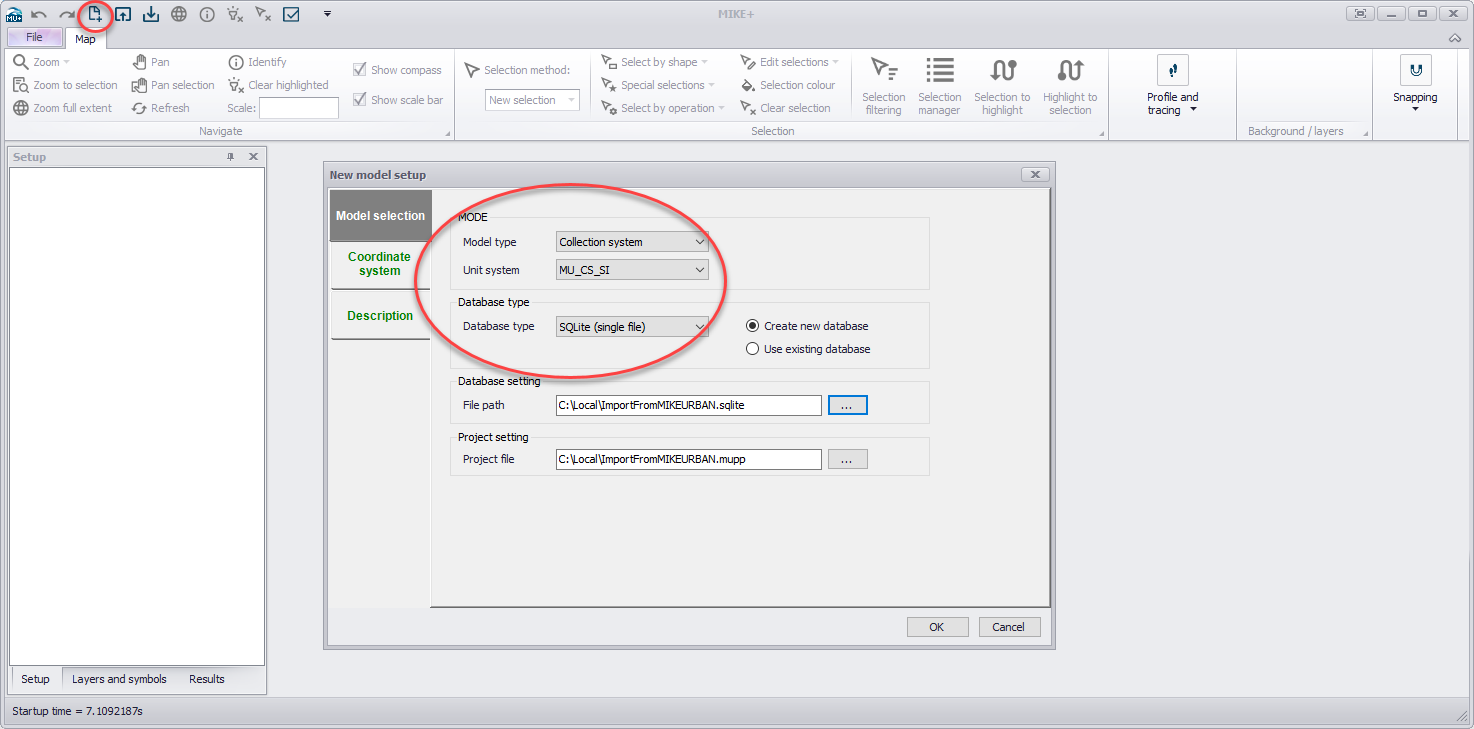
Figure: Creating a new MIKE+ project and selecting the model type, unit system and database type.
Select the model type and unit system as desired. Also select a database type: the SQLite format is the default format, for use with a local database file.
Then use the predefined import routine from File > Import > Import MU classic model.
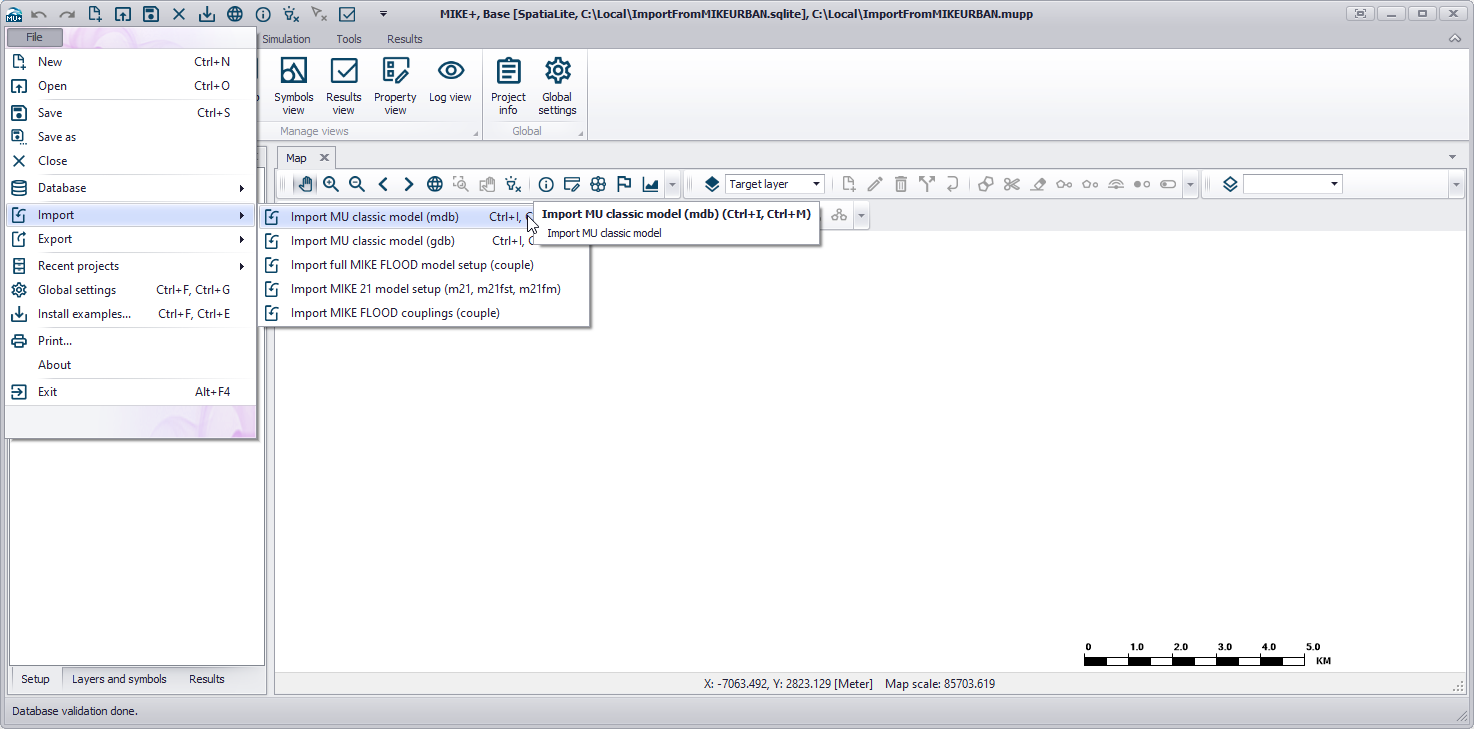
Figure: The predefined import routine for a MIKE URBAN classic model.
Refer to the MIKE+ documentation index for more information on how to use MIKE+.